
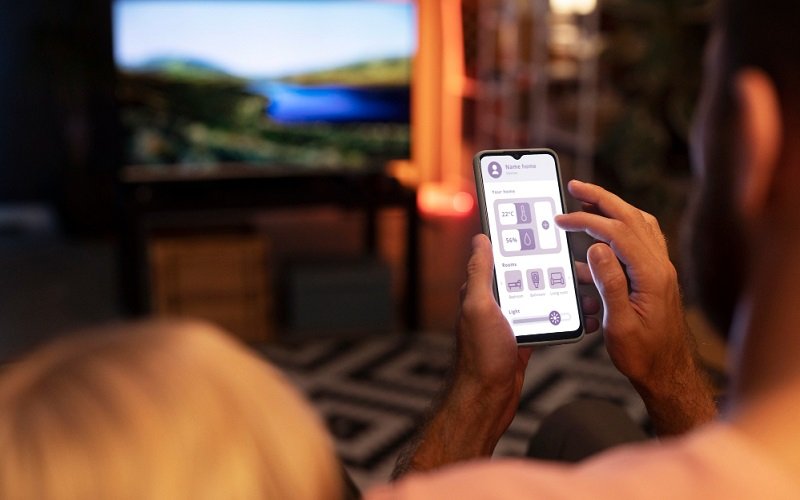
Modern TVs have long since ceased to be mere devices for watching broadcast channels. For today’s users, they are home entertainment hubs that bring together streaming services, music platforms, and even users’ personal multimedia content.
At the same time, the ways we interact with our TVs are changing as well, since more and more users today are turning to their smartphones, which are always at hand, instead of remote controls that are constantly getting lost. Such solutions are particularly popular among iPhone users, as they especially value simplicity, convenience, and speed. Consequently, there is a growing demand for apps that allow users to control their TVs, stream photos and videos to a large screen, or mirror their smartphone screens without complicated setup.
The Electronic Team develops a wide range of tools for the Apple ecosystem that are designed to meet users’ everyday needs. In this article, we’ll explore these solutions and explain how they make using a Smart TV more functional and comfortable.
How the Way We Interact with TVs and Multimedia Is Changing
Today, the way we interact with TVs and multimedia is shifting from passive viewing to active control, evolving toward hybrid content consumption, voice control, and deep personalization powered by AI. The development of Smart TVs, mobile technologies, and streaming services has transformed the TV into a full-fledged multimedia hub, while the smartphone has become a key element in interacting with it.
Companies such as Electronic Team develop iOS apps that turn your iPhone or iPad into a practical everyday tool. More information is available at https://ios.eltima.com/. Each app is designed with a clear purpose and without unnecessary features. As a result, you get tools that fit naturally into your daily routine.
Today’s iPhone users want to be able to easily connect their devices to a TV, control content playback, and instantly share multimedia files with family and friends. As a result, the TV becomes an integral part of a unified digital ecosystem in which the smartphone serves as a remote control, a content source, and a tool for shared viewing.
TVRem: a Free, All-in-One Remote Control App for iPhone
One of the main problems faced by smart TV users is the sheer number of remotes for different TVs and streaming devices, which often get lost. In addition, for many people, entering text using the buttons is a real challenge. To solve these and other similar problems, the Electronic Team has created TVRem – a free universal remote control for the iPhone and iPad.
This mobile app for controlling your TV from your smartphone completely replaces a traditional physical remote control. It lets you change channels, adjust the volume, and control Smart TV features via Wi-Fi. The app’s key features include:
- Full control over your Smart TV
- Voice control and voice input
- Smart keyboard input
- Touchpad navigation
- Quick app launches
For users of the Apple ecosystem, TVRem serves as an example of how a simple mobile app can make everyday TV viewing more convenient, faster, and more modern.
DoCast as an Easy Way to Stream Content to a Big Screen
For many smartphone users, their devices serve as the primary storage for photos, videos, and other content; however, it’s not always convenient to view them on a small screen, especially during cozy evenings with friends. For such occasions, DoCast is an excellent solution. It is a mobile app for iOS devices designed to wirelessly stream your screen, photos, videos, and music to Smart TVs over a Wi-Fi network.
The key features of DoCast include:
- Media streaming
- Screen mirroring
- The ability to adjust image quality
- Minimal latency with a stable wireless connection
An important advantage of DoCast is its focus on ease of use. The app’s interface isn’t cluttered with unnecessary settings, so even users without technical experience can quickly start streaming content. In this way, DoCast makes it easy to stream your favorite content from your mobile device to a big screen, making watching movies, photos, videos, or presentations more convenient and engaging for the entire audience.
Final Thoughts
Today’s users are no longer limited to standard remote controls or complicated ways to connect content, as nowadays, all you need is a smartphone to control your TV, launch the apps you want, or stream your favorite photos and videos to the big screen. Electronic Team products handle these tasks with ease.
The free TVRem app helps turn the iPhone into a universal remote control, while DoCast provides fast and convenient content streaming and screen mirroring. For users of the Apple ecosystem, these tools offer a practical way to make the most of their devices’ capabilities and create a unified multimedia experience for the whole family.
